Usage
Run WhatsApp Web Extractor on a browser profile or loose stores, with every option, the output formats, chain of custody and exit codes.
There are no sub-commands. Point wawf at a browser profile and it does the whole job: recovers the device credentials, captures the at-rest key and decrypts.
wawf <PROFILE> --out D:\case\outwawf <PROFILE> --offline --out D:\case\outwawf <PROFILE> --key companion_enc_static.txt --out D:\case\outwawfIn order: capture the key (signs in once) and decrypt everything; never go online and export everything except message text; decrypt offline with a saved key; open the window.
<PROFILE> is the browser profile folder: for Chromium Default, Profile 1 and so on (for example %LOCALAPPDATA%\Microsoft\Edge\User Data\Default); for Firefox the profile folder, or --origin for its web.whatsapp.com storage folder. Nothing is auto-detected: which profile is examined is always your choice. wawf -h prints the locations on your machine.
Acquiring the profile
Section titled “Acquiring the profile”Close the browser completely first (on Windows, also Edge’s Startup boost and Chrome’s “Continue running background apps”), then copy the profile folder. A running browser keeps writing its stores, and a copy taken meanwhile can lose recent tables, including the key store; then nothing can be decrypted. On a damaged copy the tool reads everything that survived and reports exactly what could not be read.
When only the stores were collected, pass them directly; they can be anywhere and renamed:
wawf --idb "E:\item7\IndexedDB" --local-storage "E:\item7\Local Storage" --out D:\case\out| Option | Location in a Chromium profile | Needed for |
|---|---|---|
--idb |
IndexedDB\https_web.whatsapp.com_0.indexeddb.leveldb, or WebStorage\<n>\IndexedDB |
Messages, chats, contacts, groups, calls, the root key |
--local-storage |
Local Storage\leveldb |
The key salt, device keys and signed-in account |
--media-cache (optional) |
WebStorage\<n>\CacheStorage, Service Worker\CacheStorage, Cache\Cache_Data |
Media WhatsApp Web had cached |
The tool reads where the profile came from (browser, version, original path) from the folder’s own files and records it in the audit trail.
Options
Section titled “Options”| Option | What it does |
|---|---|
--out [FORMAT:]PATH |
Where to write, and in which format (see below). Repeatable |
--key FILE |
A companion_enc_static.txt captured earlier: decrypt without the network. Always a file, never the key itself, so no secret reaches shell history |
--offline |
Never contact WhatsApp. Without a key, exports everything except message text |
--chat WHO |
Only this conversation: a contact or group name, a phone number with country code, a lid or a jid. Repeatable |
--partition WHICH |
Which WhatsApp session to examine when a profile holds several |
--list-partitions |
List every WhatsApp session in the profile, then stop |
--origin DIR |
A Firefox web.whatsapp.com storage folder instead of a profile |
--idb, --local-storage, --media-cache |
Loose stores instead of a profile folder |
--history |
Also pull history older than the browser cache from the phone, resuming across runs. Networked and rate-limited |
--history-refetch |
With --history: re-ask for history already recovered, to fill in fields an earlier run did not capture |
--queue |
After the export, record what WhatsApp’s server is holding for this device, acknowledging nothing |
--fetch-media |
With --out sqlite:PATH: download, decrypt and verify media the browser never cached. Networked |
--raw-include-keys |
With --out raw:: also dump the key-material stores. Such a dump must not travel with a case |
--creds FILE |
Reuse an existing creds_in.json instead of recovering credentials again (skips a minutes-long read of the browser storage). It must describe the same device the profile holds |
--yes |
Auto-confirm prompts that only affect the tool’s own folder. It does not authorise installing Node.js |
--install-node |
Only for the optional Node history engine: allow --history to install Node.js via winget. Modifies the machine and asks for elevation |
--no-audit |
Do not write the chain-of-custody database |
--audit-db DB |
Path for the audit database (default: beside the output) |
--case-id ID, --examiner NAME, --case-notes TEXT |
Case details recorded in the audit database |
--audit-secrets |
Also store raw key material in the audit database (default: only SHA-256 fingerprints) |
-v, --log-file FILE |
Full logs and tracebacks; mirror them to a file |
--version |
Print the version recorded in export receipts and the audit database |
One conversation only
Section titled “One conversation only”wawf <PROFILE> --chat "Book club" --chat +15555550101 --out D:\case\outA phone number, its lid and its jid are treated as one person. Names are matched exactly (case and spacing aside). A name or number that fits more than one chat, or none, stops the run with exit code 2 and lists the candidates. The export, contacts and group membership then hold only those chats; signing in still delivers whatever the server holds, so --queue and --history keep that outside the export folder.
Output formats
Section titled “Output formats”--out is repeatable. A plain path writes text and JSON.
| Form | Writes |
|---|---|
--out PATH |
transcripts.txt, chats.json, identities.json |
--out txt:PATH |
Only transcripts.txt |
--out json:PATH |
Only chats.json and identities.json |
--out sqlite:PATH |
Android-layout msgstore.db and wa.db |
--out raw:PATH |
Every store, decrypted in place and otherwise unchanged, with a SHA-256 manifest |
Chain of custody
Section titled “Chain of custody”A SQLite case database, wawf_audit.db, is written beside the output unless --no-audit is given. Re-running appends a new run, so repeated passes over one case accumulate in one history. It records each run (command, arguments, exit code, host and tool version), every log line, every file opened with its SHA-256, every decryption with key fingerprints, network requests and responses, and every output with its SHA-256.
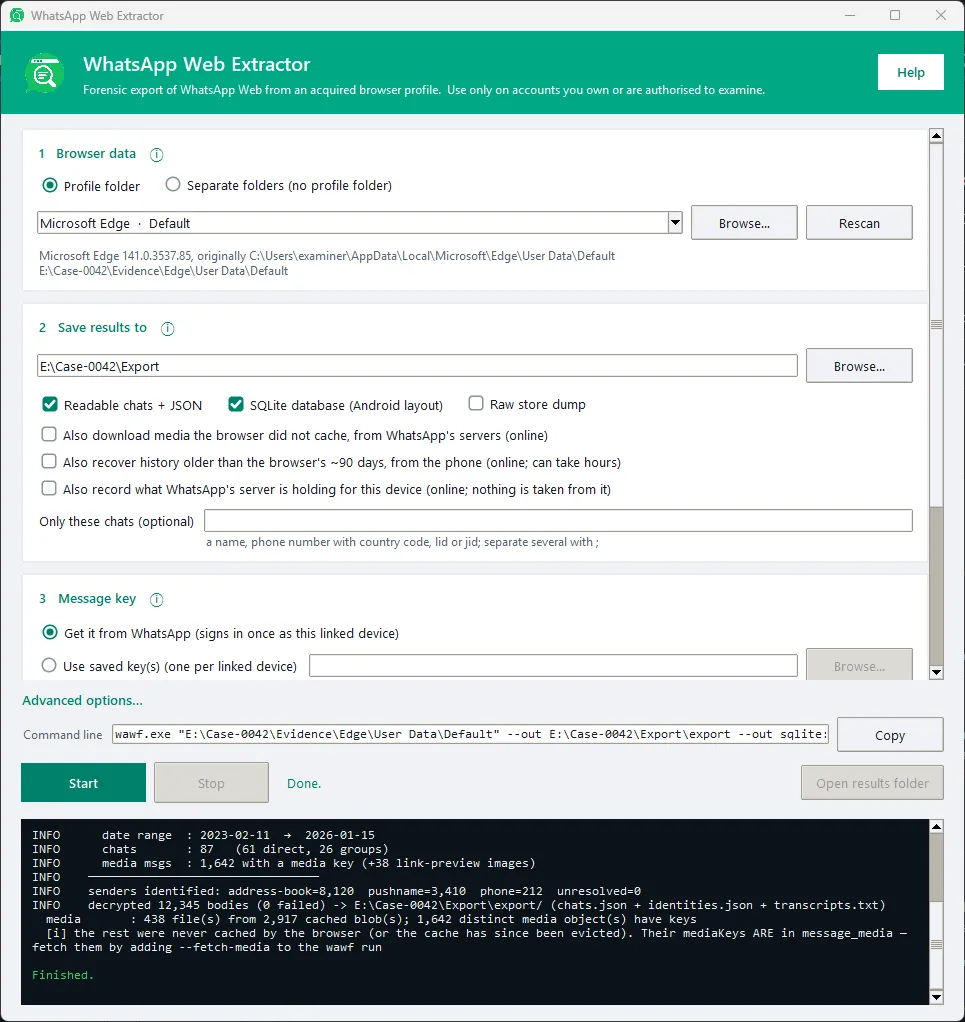
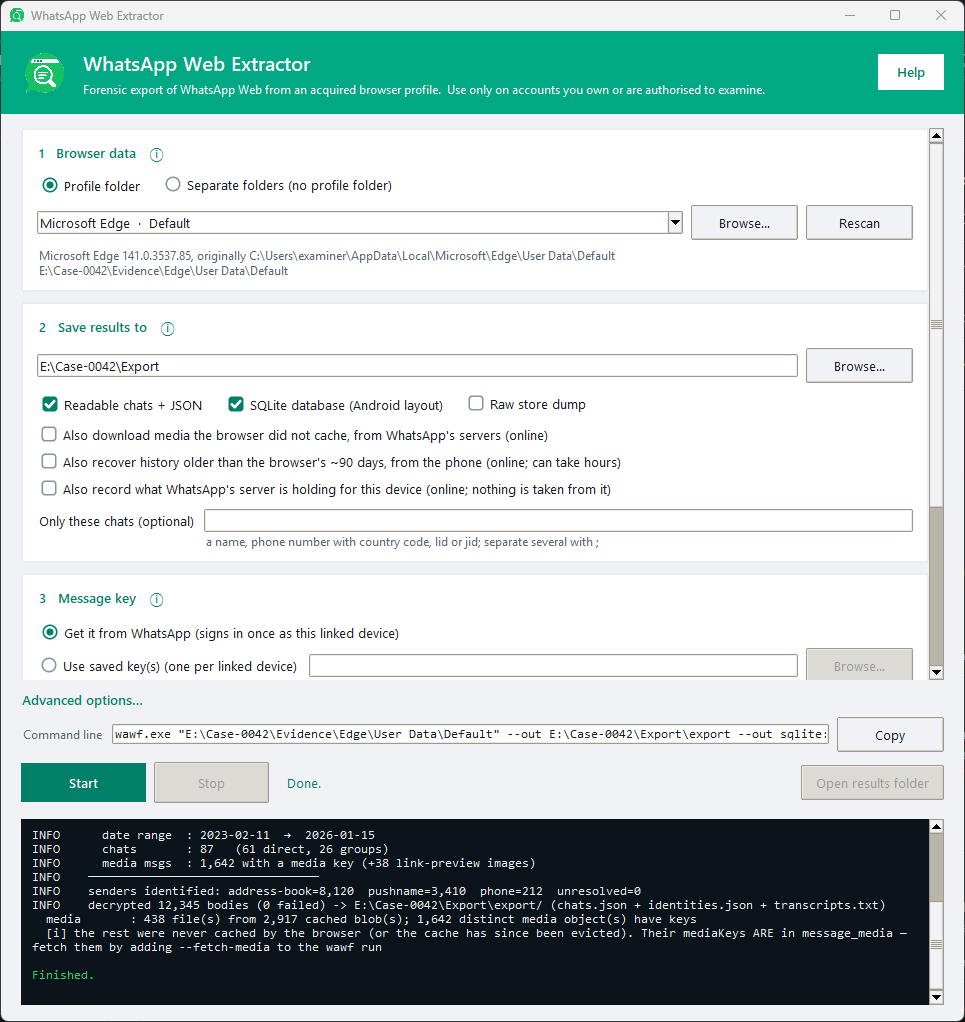
The run summary reports how each sender was identified, for example senders identified: address-book=8,120 pushname=3,410 phone=212 unresolved=0. On a healthy profile unresolved is zero.
Exit codes
Section titled “Exit codes”| Code | Meaning |
|---|---|
0 |
Success |
1 |
Error (with --history: nothing recovered, or nothing could be asked) |
2 |
Bad usage or a refused combination, including a missing profile or store folder and a --chat that matches no chat or several |
3 |
Wrong key or an unusable --key file, or nothing for --history or --queue to work from |
4 |
A file the run needs was not found |
6 |
The server ended a --queue capture early |
130 |
Interrupted |
Known issues
Section titled “Known issues”- During
--history, the default Python engine never asks a sender to re-encrypt a message it cannot decrypt. Such messages are kept as received and counted, but their text is not recovered. The optional Node engine does ask. - When the Python engine starts a new Signal session with the phone, it does not verify the signature of the phone’s signed prekey. The Node engine (libsignal) does.
For the full reference (what a browser holds compared with the phone, where the key comes from, the server queue and history recovery), see the documentation on GitHub.