Prefetch Parser
Cross-platform parser for Windows Prefetch files and the rest of the Prefetch folder, with a command line, a GUI, SQLite and CSV output.
- Version v0.9.0
- License: MIT
- Windows
- Forensics
Prefetch Parser reads Windows Prefetch (.pf) files and reports what they record: that an executable ran on the machine, how many times, when it last ran, from which volume, and which files and directories it touched while starting. It has a command line and a GUI, and it runs on Windows, Linux and macOS. It does not need Windows to read compressed Windows 10 and 11 prefetch, because it carries its own XPRESS Huffman decompressor.
What it does
Section titled “What it does”- Every format version. Versions 17, 23, 26, 30 and 31, from Windows XP to Windows 11.
- Full executable paths, resolved from the file itself, with how each path was determined and the other source’s answer when the two disagree.
- Nothing skipped. Loaded files with their MFT references, every volume, directories and trace chains. A file that fails to parse still gets a row, marked with the stage that stopped it.
- Renamed files caught. The executable name and path hash in the filename are compared with the header on every file, so a renamed or planted
.pfis reported instead of read at face value. - Hidden prefetch. Recovers prefetch stored in NTFS alternate data streams, without giving it the carrier file’s timestamps.
- The rest of the folder.
Layout.ini, the SuperFetchAg*.db,.7dband.ebddatabases, Windows 11 ReadyBoot boot traces, and a report of any file it does not recognise. - Leftover bytes. Bytes that belong to no field of a record (fragments of an earlier version of the record) are reported as residue.
- Exports. SQLite as the primary artifact, plus CSV. Other folder artifacts go to their own tables and CSV, because file-access evidence is not execution evidence.
Ways to run it
Section titled “Ways to run it”| Interface | Start it with | Use it for |
|---|---|---|
| Command line | python -m pfcli parse <folder> |
Parsing folders or files to SQLite and CSV |
| GUI | python -m pfgui <folder> |
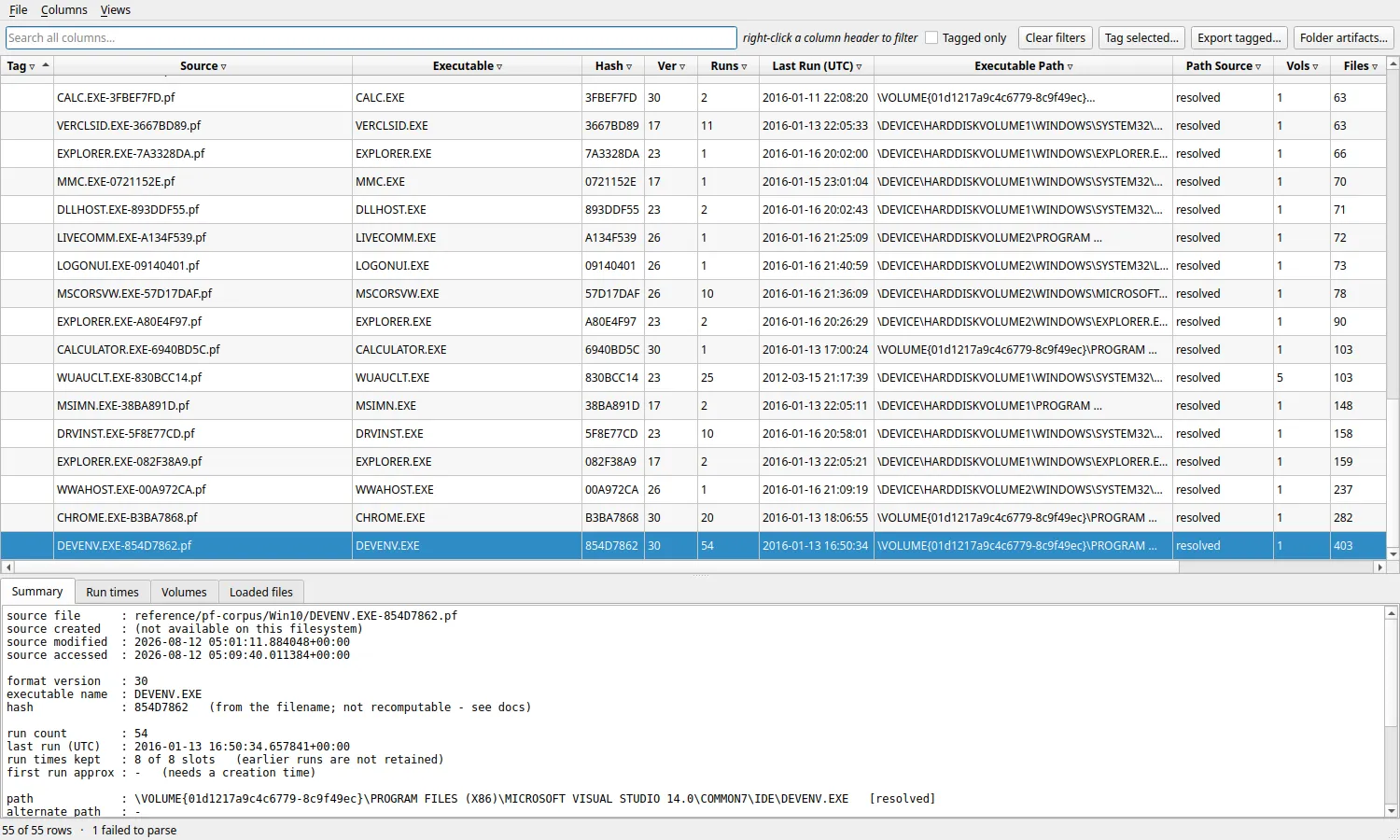
Filtering, tagging and exporting records |
python -m pfcli parse C:\Windows\Prefetch --db case.db --csv case.csvRequirements
Section titled “Requirements”| Item | Requirement |
|---|---|
| Python | 3.10 or newer |
| Command line and library | No third-party packages |
| GUI | PySide6 |
| Operating system | Windows, Linux or macOS from source; a pre-built bundle for Linux x86-64 |
Next steps
Section titled “Next steps”- Install Prefetch Parser from source or the Linux bundle.
- Usage: commands, options, exit codes, outputs and the GUI.
- Changelog.
Source and license
Section titled “Source and license”Prefetch Parser is open source under the MIT License. Source code, the full field-by-field documentation and issues are on GitHub.