Usage
Prefetch Parser commands and options, exit codes, SQLite and CSV outputs, alternate data stream recovery and the GUI.
The command line is pfcli; the GUI is pfgui. From source, run them as Python modules.
python -m pfcli parse <path> [--db out.db] [--csv out.csv] [--no-recurse] [--raw-csv]python -m pfcli info <file.pf>python -m pfcli artifacts <folder> [--paths] [--db out.db] [--csv out.csv]python -m pfcli ads <folder> [--db out.db] [--csv out.csv] [--files-only]python -m pfcli capabilitiesCommands
Section titled “Commands”| Command | What it does |
|---|---|
parse |
Parse .pf files or folders (recursive by default) |
info |
Print everything in one prefetch file |
artifacts |
Report the other files in a Prefetch folder: Layout.ini, SuperFetch databases, ReadyBoot traces and unrecognised files |
ads |
Recover prefetch hidden in NTFS alternate data streams |
capabilities |
Show which decompressors this machine has |
--decompressor ntdll|pure, given before the command, forces a decompressor. By default it uses ntdll when available and falls back to the built-in decoder.
| Option | Description |
|---|---|
--db FILE |
Write a SQLite database, the primary artifact |
--csv FILE |
Write a flat CSV export |
--no-recurse |
Do not descend into subfolders (ReadyBoot traces live in a subfolder) |
--raw-csv |
Keep spreadsheet formula triggers in CSV cells as-is, for programs rather than Excel |
Overlapping arguments are de-duplicated, so the same folder given twice does not double every row.
artifacts
Section titled “artifacts”| Option | Description |
|---|---|
--paths |
Also list every path each artifact holds |
--db FILE |
Write to SQLite, in separate tables from .pf records |
--csv FILE |
One row per path, plus a -summary.csv beside it |
--raw-csv |
As for parse |
| Option | Description |
|---|---|
--db FILE |
Write recovered records to SQLite |
--csv FILE |
Write recovered records to CSV, with provenance |
--files-only |
Skip directories (NTFS directory objects can carry streams too) |
--raw-csv |
As for parse |
ads scans every file regardless of extension, and directories too, and recognises prefetch by content rather than by name. A stream has no timestamps of its own, so for a recovered record the creation time stays empty and no first-run estimate is made; the carrier file’s times are reported under their own names.
python -m pfcli ads C:\Windows\Prefetchpython -m pfcli ads C:\Users --db ads.dbExit codes
Section titled “Exit codes”The same for every command:
| Code | Meaning |
|---|---|
0 |
Success, including “scanned and found nothing” |
1 |
Nothing was produced: no .pf files, a path that does not exist, a file where a folder belongs, or (for ads) entries that could not be examined |
2 |
The run cannot start as asked: a capability this machine lacks, or two outputs aimed at the same file. Nothing is parsed or written |
120 |
The evidence parsed, but an output could not be written. The other outputs are still written |
Rows go to standard output; summaries, notes and errors go to standard error, so rows can be piped without commentary.
Outputs
Section titled “Outputs”SQLite (--db) is the primary artifact. It is relational, so nothing is flattened away: tables for prefetch records, run times, volumes, directories, loaded files, file references, residue and problems, plus a timeline view with one row per execution. Re-scanning a folder updates rows rather than duplicating them, and a database from an older build is upgraded when opened.
CSV (--csv) is a flat export of the same records. Cells that would start a spreadsheet formula are neutralised unless --raw-csv is given.
Key fields:
| Field | Meaning |
|---|---|
Executable |
Name from the file header (29 characters at most; Name Cut flags a full field) |
Hash |
The hash from the filename, 8 hex digits |
Ver |
Format version: 17, 23, 26, 30 or 31 |
Runs |
Executions since the record was created; can exceed the 8 kept run times |
Last Run (UTC) |
The newest stored run time |
Executable Path |
The resolved full path, with Path Source saying how it was determined |
Vols, Files, Dirs |
Volumes, loaded files and directories recorded |
Parsed, Failed Stage, Problems |
Whether parsing completed, and any non-fatal findings |
The full documentation on GitHub explains every field, the file format and path resolution.
python -m pfgui [folder]Right-click any column header to filter it. The list shows the values available under the other columns’ filters, with a search box; filters on different columns combine.
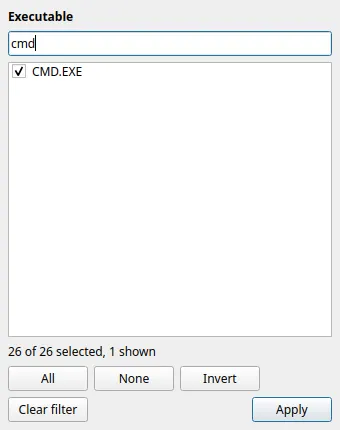
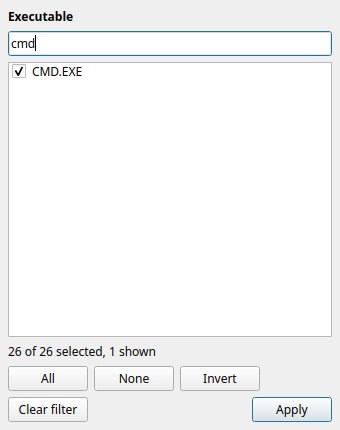
Row tints mark facts about the evidence, never a verdict: red for a file that failed to parse or a name with deceptive characters, amber where the two path sources disagree. The detail tabs (Summary, Run times, Volumes, Loaded files) describe the selected row.
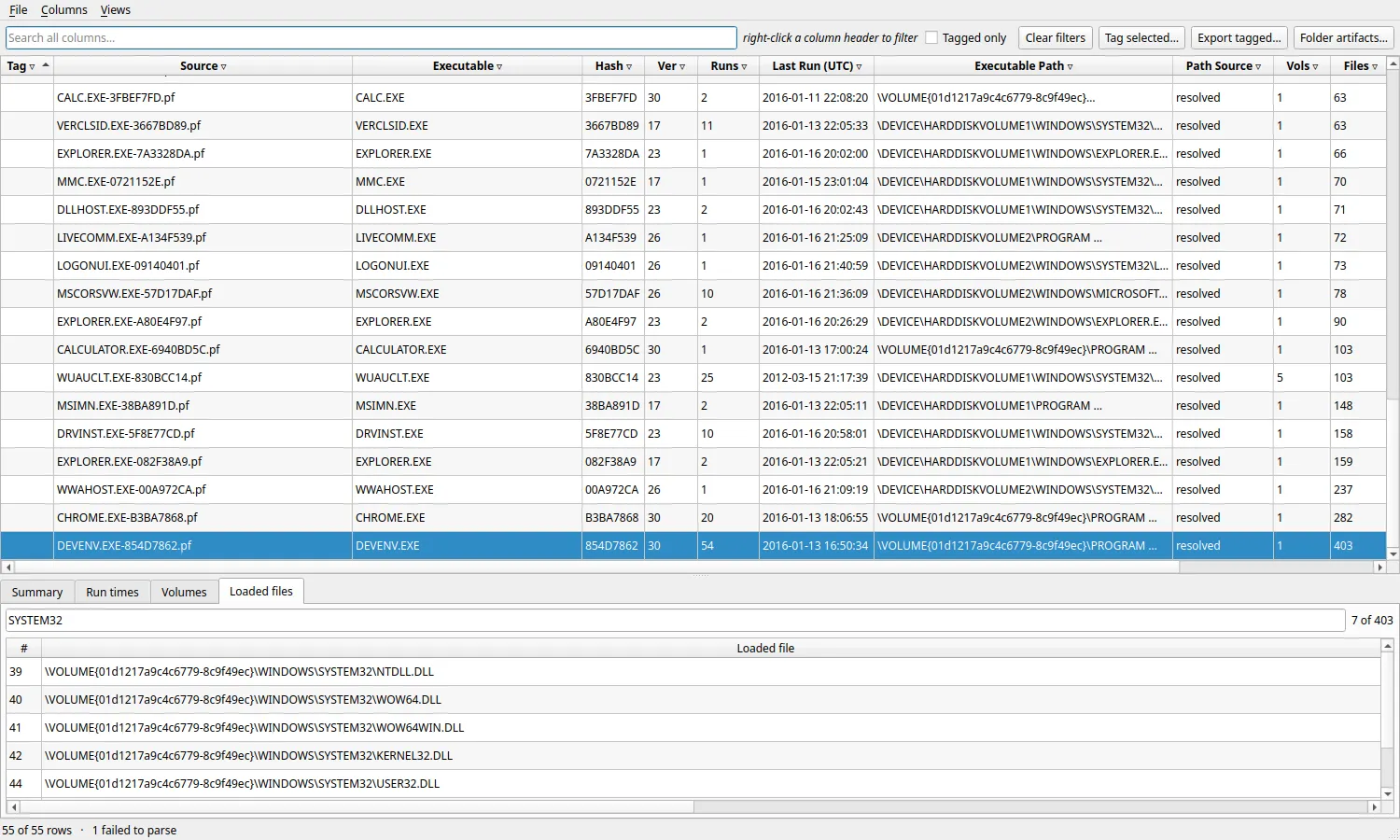
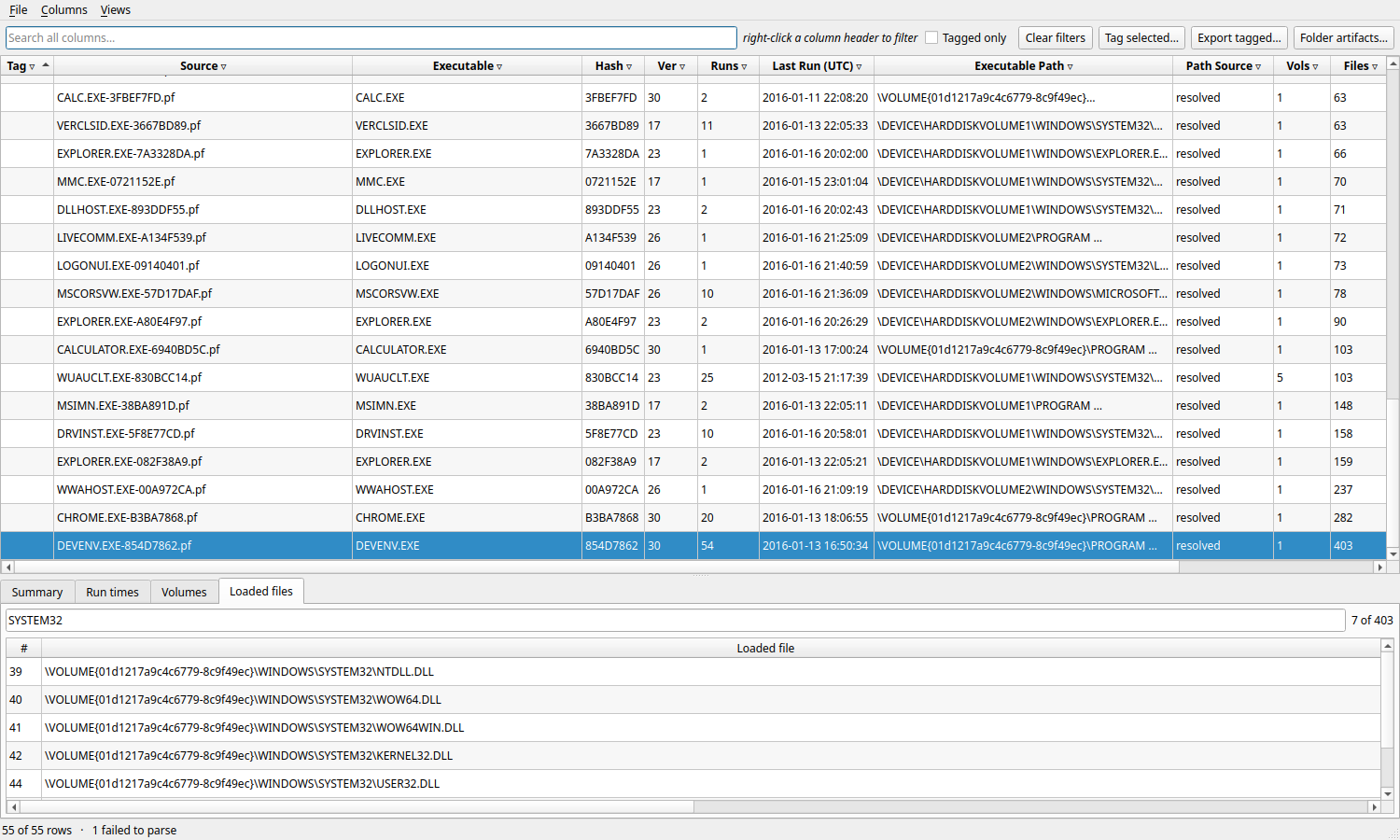
Other features: show or hide columns, save filter sets as views, tag rows with notes, export tagged rows or the current filtered view, and open the folder’s other artifacts in a separate window (Ctrl+R).